
My camera - my editor (part 1 - Snapseed)

Recently, I talked about my phone as my camera. I shared most of the camera apps I use on my phone (I forgot some after going through my phone). I also use my phone as my photography and video editor. I’m going to start a series on the different editors I use to edit my pictures and videos. Today I’m going to discuss Snapseed.
Snapseed is a free app for both Android and IOS. It has the capability to edit RAW images, which is a plus when shooting in RAW and needing to get content out quickly. Here is a screen shot of what is available.
![Screenshot_20200513-055451_Snapseed[1].jpg](https://images.squarespace-cdn.com/content/v1/5bd3986b809d8e61e3b2638b/1589372323203-78ZJEAJSGR29BRC3RNTN/Screenshot_20200513-055451_Snapseed%5B1%5D.jpg)
As you can see, there are several different options when editing in Snapseed. If you want excellent tutorials on how to use Snapseed, Kenneth Wayne is an expert when it comes to editing in Snapseed. Here is his Instagram and YouTube. Check out his stuff if you want to learn Snapseed.
I hope this helps with an option to edit on your phone. Please like, comment, and subscribe if you haven’t. I hope you have a wonderful day. Peace.
How to Capture Lightning with your Phone
We recently had storms come through south of where I live. I was able to go out and get lightning shots. The video below is a quick tutorial on how I captured lightning with my phone.
I hope this is helpful for someone. If you have any questions, comments, please put them below. If you haven’t subscribed, please do.
Thanks and have a good one.
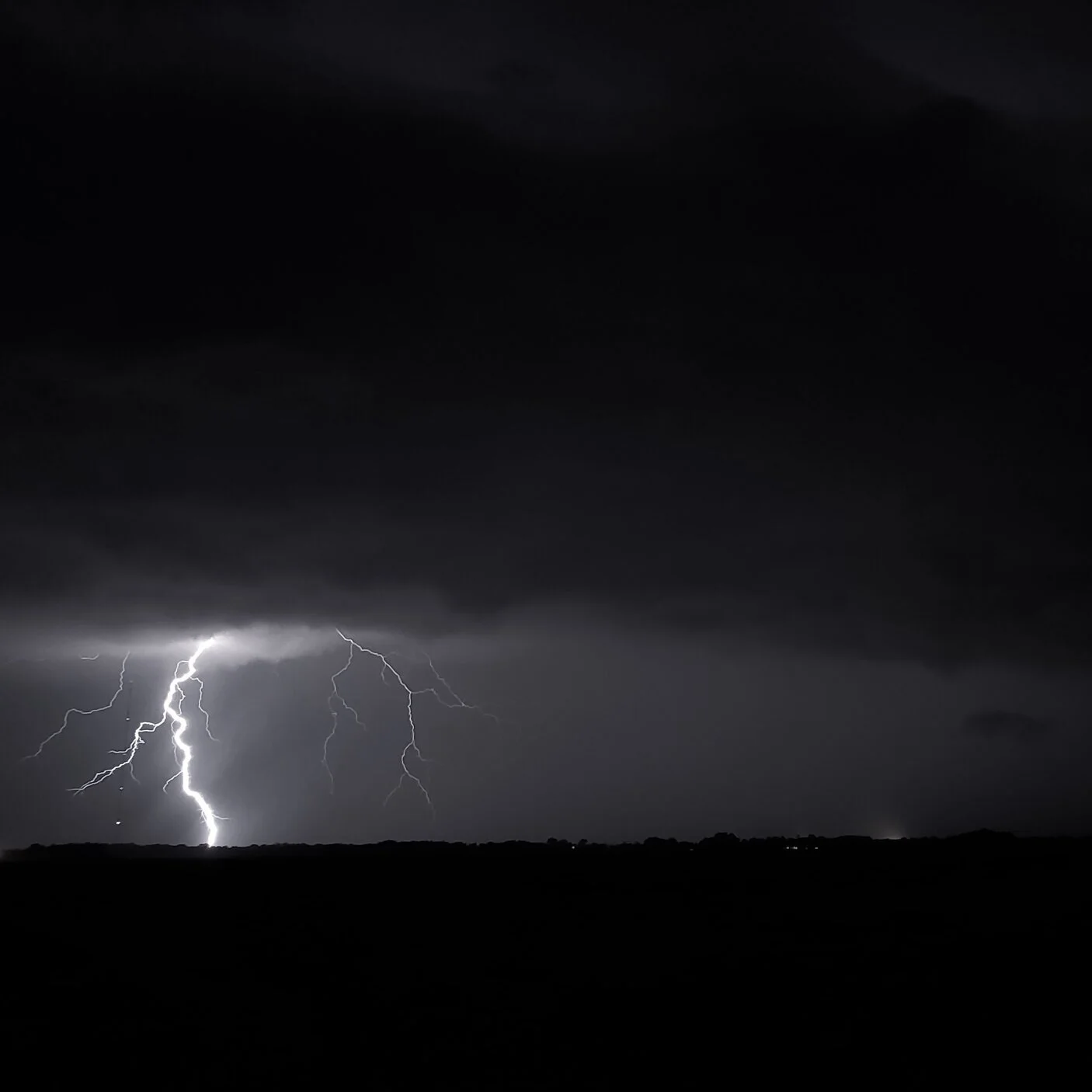
Lightning hunting
Last night, I went on a lightning hunt. Here in southern Louisiana, we had a marginal chance of thunderstorms/severe weather. Well, we got some and boy did we. In this post, I am going to share what I did to get shots like this with my phone.

Unedited shot taken with my Samsung Galaxy S10+ native camera
The Samsung Galaxy S10+ native camera has a professional setting, something like a DSLR. You can control everything with it: ISO, f-stop, focus, temperature, just about everything. I’ve been practicing during the last couple of storms to get this technique for using my phone down. These were my settings when I got this shot:

Settings from last night’s storm
When I started shooting last night, the only difference was I had it set to 30 second shots, not 10 seconds. After a couple of washed out lightning strikes, I changed it to 10 seconds and the results were much better. The small sensor on the camera can not handle a lot of light. One of the key things for doing long exposure shots, you need to steady the phone somehow. Either use a tripod or a window mount for your car or some other way.
I hope this helps with those who want to catch lightning. Check out my last post for other camera options if you don’t have the Samsung Pro camera option on your phone.
If you have any questions, please feel free to leave a comment and I will respond. If you haven’t subscribed, please do so. Thanks.

My phone - my camera
Since my hiatus last year, I’ve focused on getting better at mobile photography. I have my phone on me all the time so why not utilize the camera, practice and get better at it. In this post, I will show you the apps I use when taking pictures and shooting video.
Here are the apps I use for my mobile photography in no certain order of usage -

Samsung Galaxy S10 Plus native camera app - free

Open Camera - free (Google Play Store) (not available for IOS)

Manual cam - paid (Google Play Store) (not available for IOS)

Framelapse - (create timelapses) (Google Play Store) - free

Lightning camera - (capture lightning) (Google Play Store)
(IOS) it is called iLIghtningCam 2

Moment Pro camera - (Google Play Store) (no longer updated for Google Play Store)
(IOS)

Firstlight (Filmic Pro) - (Google Play Store) - paid
(IOS) - paid

Filmic Pro - (Videography/Timelapse) (Google Play Store) - paid
(IOS) - paid
I have provided links to the apps for both Google and IOS. The list above is in no particular order of usage. Some of the apps I use are not available on IOS but there are equivalent camera apps available. If there is enough interest, I will do in-depth posts on each app and dive deep into each one. Let me know if the comments below if you are interested and which app would you like to see.
Thanks and I hope you have fun using your phone to create awesomeness.